Showing posts with label JBoss Application Server. Show all posts

Monday

How to access JBoss over an another host

For accessing JBOSS or Wildfly from another host outside of localhost:

<!-- in standalone.xml  there is a definition as follows-->
<interface name="public">
    <inet-address value="${jboss.bind.address:127.0.0.1}"/>
</interface>

<!--you can do any of the following -->

<!-- 1. choice: 
     binding for all the IP Addresses 
-->
<interface name="public">
     <inet-address value="${jboss.bind.address:0.0.0.0}"/>
</interface>

<!-- 2. choice: 
     binding for only one IP adress 
-->
<interface name="public">
     <inet-address value="${jboss.bind.address:192.168.x.x}"/>
</interface>

<!-- 3. choice:
     double click on server 
     then click 'Open launch configuration'
     then add -b 0.0.0.0 to the  'Arguments' 'Program arguments' 
-->

Tuesday

Address already in use: bind /127.0.0.1:9999

BUG:
While i'm trying to start JBOSS, i got following error.
             Address already in use: bind /127.0.0.1:9999
FIX:
Open command prompt, then try  netstat -aon.You will see the detail.


To kill the process try   taskkill /f /pid PID.

Where is the generated JSP class files stored (JBOSS, Weblogic) ?

In JBOSS 7.1:

C:\jboss\jboss-as-7.1.0.Final\standalone\tmp\work\jboss.web\default-host\<project name>\org\apache\jsp\pages

In Oracle Weblogic Server 11gR1(10.3.6):

<Your weblogic path>\<user_projects>\domains\<YOUR_DOMAIN_NAME>\servers\<APP_SERVER_NAME>\tmp\_WL_user\<APPLICATION_WAR(for me \_auto_generated_ear_\8fkeak\jsp_servlet)>

Monday

java.lang.IllegalArgumentException: No enum const class java.util.concurrent.TimeUnit.MİLLİSECONDS

BUG:
I got the below error when i started JBOSS server.
java.lang.IllegalArgumentException: No enum const class java.util.concurrent.TimeUnit.MİLLİSECONDS

FIX:
1. Double click to the server.
2. Click "Open launch configuration"
3. Add to the Vm arguments '-Duser.language=en'
4. Then save and start your server.

Sunday

Install JBoss Application Server 7.1 in Eclipse Kepler

  1. Download Eclipse Kepler from this location. http://www.eclipse.org/downloads/packages/eclipse-ide-java-ee-developers/keplerr
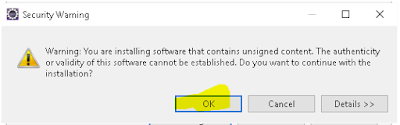
  2. Open Eclipse. Help > Install New Software > Write the following  urls according to eclipse version to the “Work With” area.


Click to Add buton.


Choose only “Jboss Web and Java EE Development” and click Next.

Click Next.


Servers > New Server > JBoss AS 7.1 > Next


Unzip ‘ jboss-as-7.1.0.Final.zip’ in downloaded folder.


Then click “Finish”.